Frequently Asked Questions
Everything you need to know about using Lleven.
Export your statement from your Mobile Money app as a PDF, then upload it through our secure upload portal. We support statements from MTN, Vodafone, and AirtelTigo.
Absolutely. We use bank-level encryption for all data transmission and storage. Your statements are processed securely and never shared with third parties. You can also use our 'Share Safe' mode to blur sensitive amounts when sharing.
We currently support PDF format. Most Mobile Money providers allow you to export statements in this format from their apps or web portals.
Our AI achieves high accuracy by learning from transaction patterns, merchant names, and reference codes. You can always manually adjust categories if needed, and the system learns from your corrections.
We're currently in beta on web, with native iOS and Android apps coming soon. Join our waitlist to be notified when the mobile app launches!
How to get your Statement
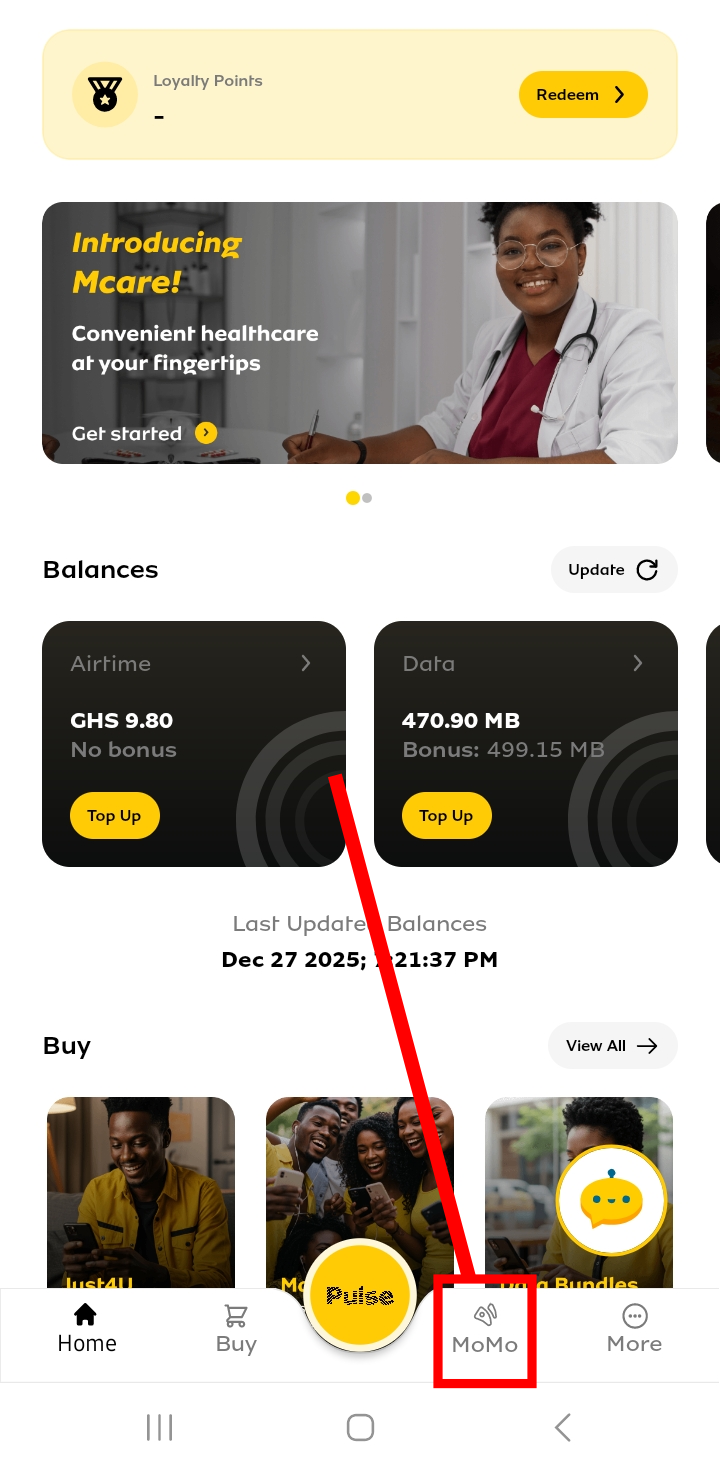
Open myMTN App
Launch the myMTN app and tap on "MoMo" in the bottom navigation bar.
Select Statements
Tap on the "Statements" option.
🔒Security Tip: You may be asked to enter your MoMo PIN or OTP. Never share this with anyone!

Request via Email
At the bottom of the screen, tap "Get statement by email".

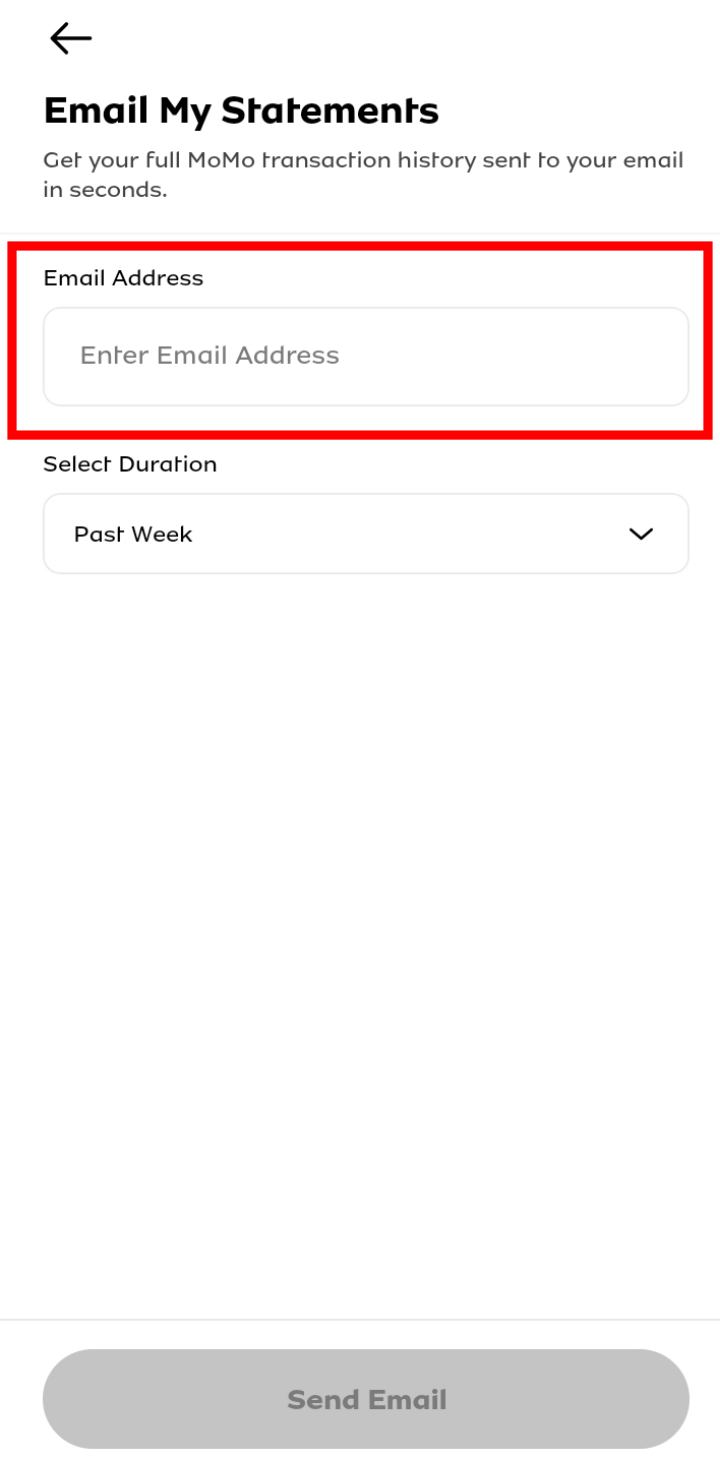
Enter Email
Type in the email address where you want to receive the PDF statement.
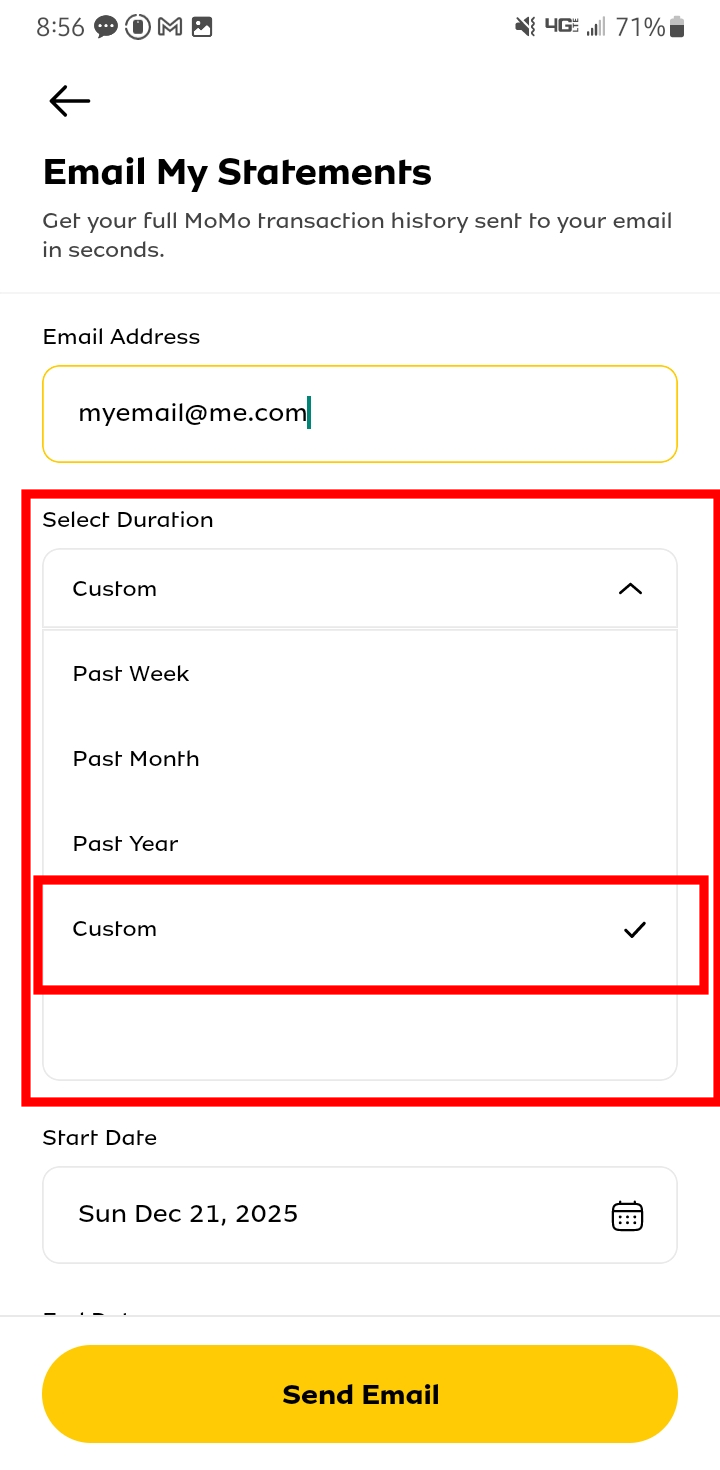
Select Duration
Choose "Custom" duration.
- Start Date: Jan 1, 2026
- End Date: Today's Date

Review & Send
Review your details and tap "Send Email".
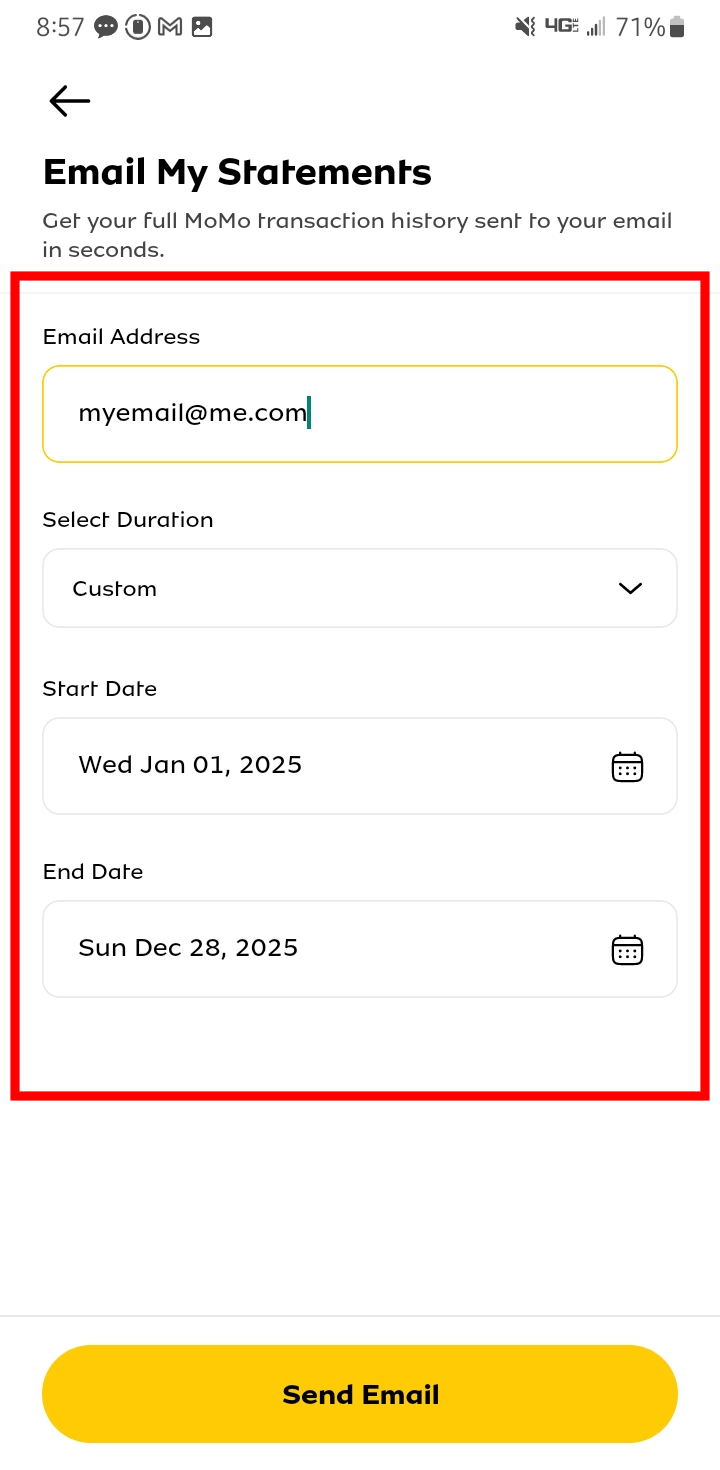
⏳Note: Delivery time varies. It usually arrives instantly, but can sometimes take up to 2 hours.